> ## Documentation Index
> Fetch the complete documentation index at: https://docs.rinne.com.br/llms.txt
> Use this file to discover all available pages before exploring further.
# The onboarding link
> Send the merchant's contact one link and let Rinne collect what the provider still needs: documents, the biometric verification and answers, in any order, on a mobile-first page that never asks twice.
Every affiliation that waits for the merchant carries a link in `onboarding_url`, and for almost all of them it is Rinne's **onboarding link**: a Rinne page, mobile-first and in Portuguese, where the merchant's contact supplies whatever the provider still needs. You send it to the contact or embed it in your app; Rinne does the rest and submits the affiliation the moment the last item arrives. The exception is an attempt that was already on the provider's own page, which keeps that page until it finishes (see [Use onboarding\_url as it is](/onboarding#already-integrated-with-affiliations)).
The page runs on the same [building blocks](/onboarding/api) as the API. Anything collected through it shows up in your integration at once, and anything you supply through the API disappears from the page.
## What the contact sees
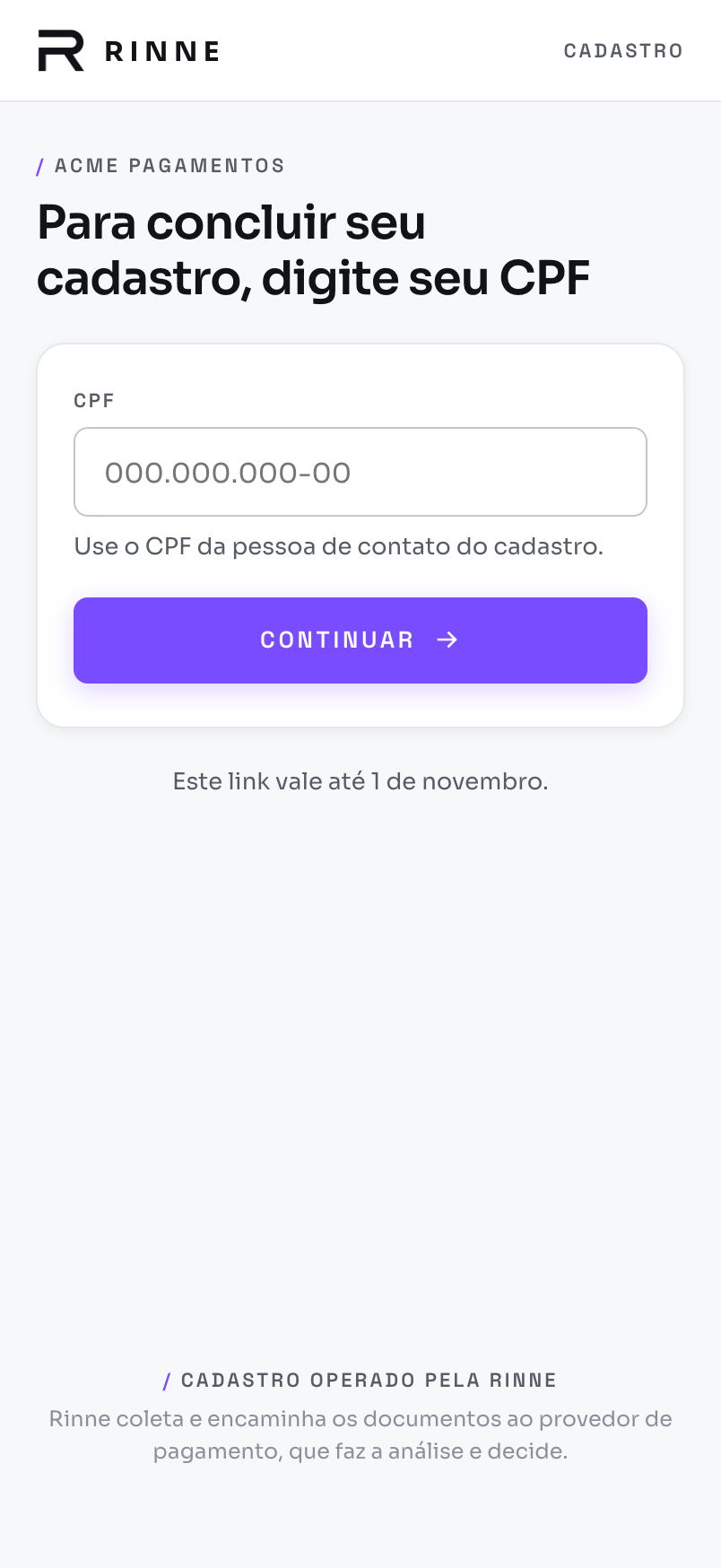
The page names your organization in text and asks for the CPF of the merchant's registered contact. Nothing about the merchant appears before the CPF matches.
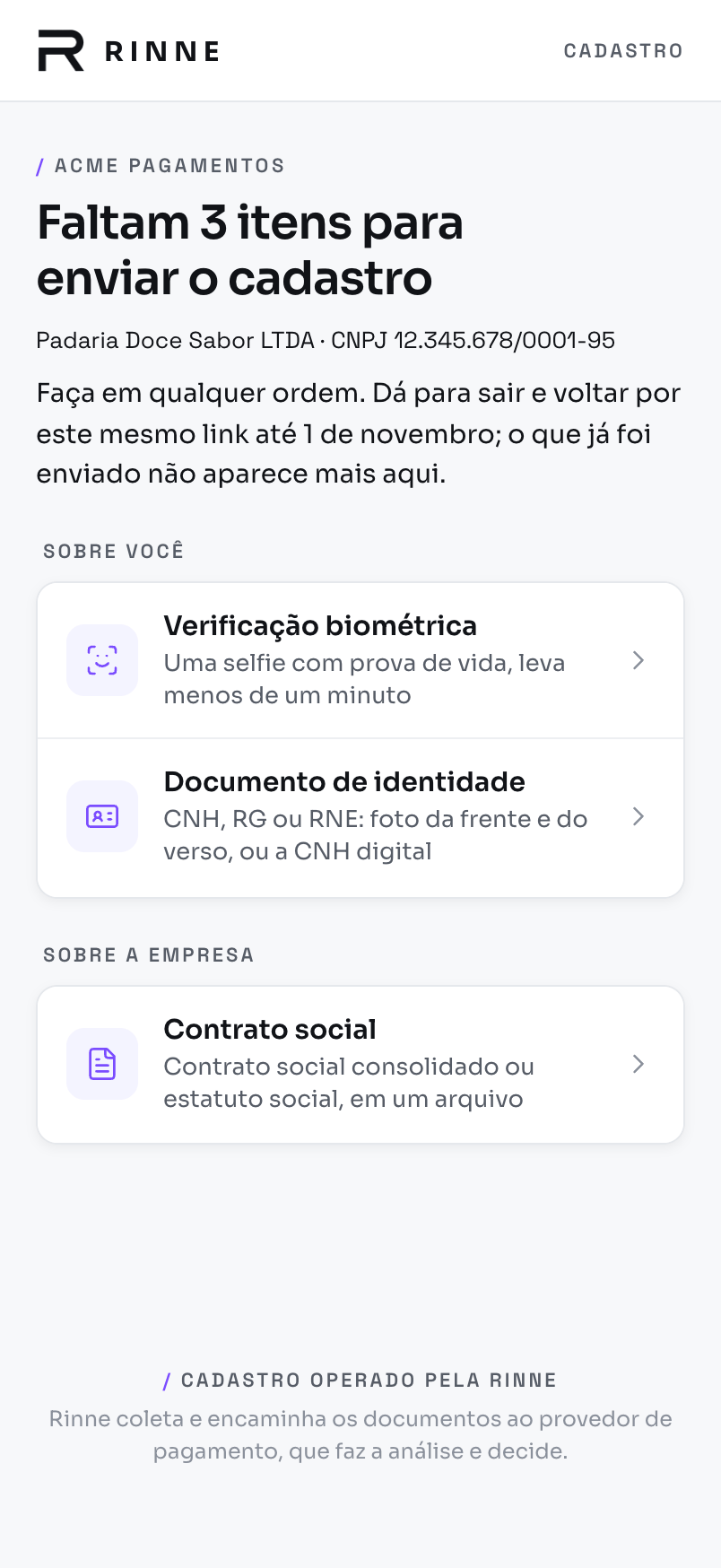
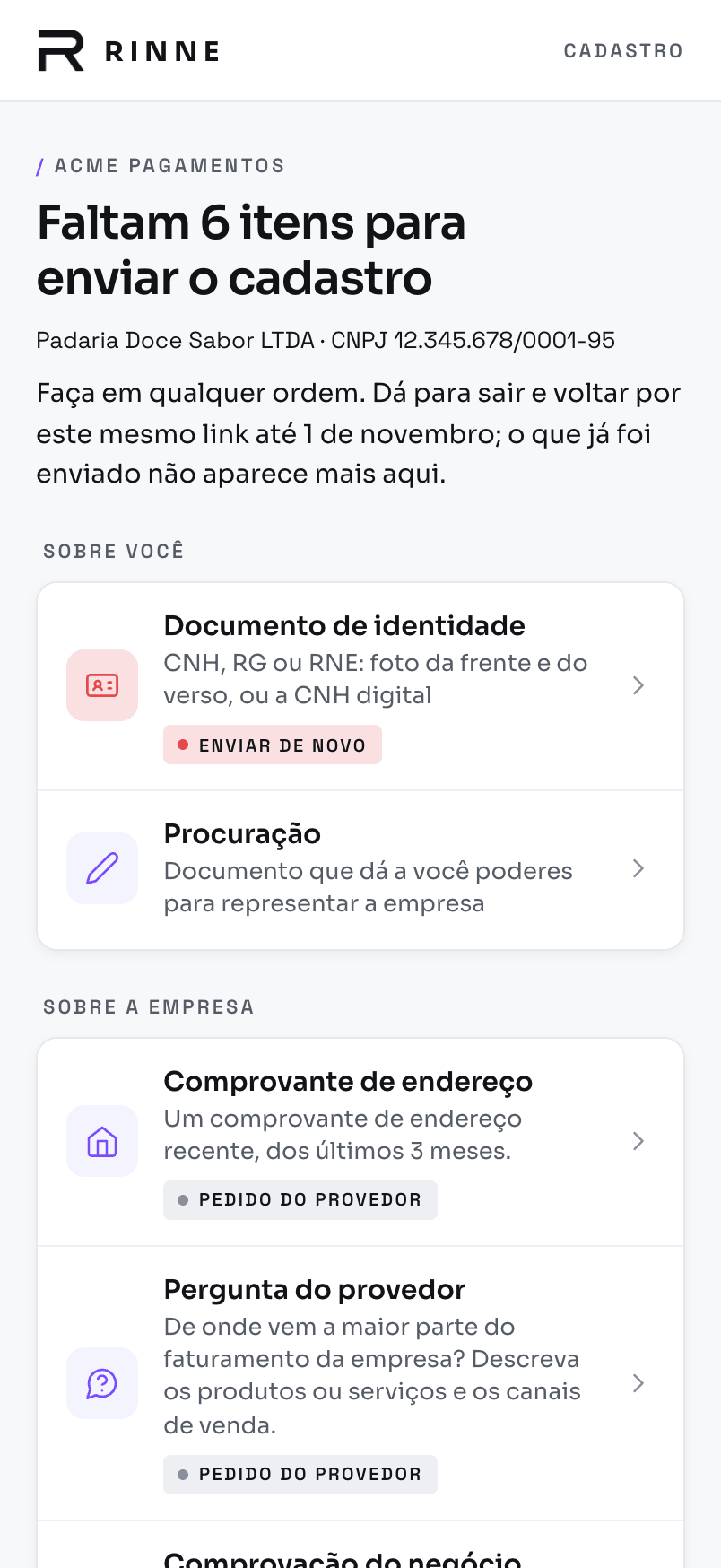
The pending items are grouped by person and by merchant: their own identity document and biometric verification, the merchant's articles of incorporation, a question the provider asked. What was already received, through the link, through your API calls or from another merchant of your organization, stays in its group as a closed row marked as received, with the date, so nothing is asked twice and nothing is left in doubt.
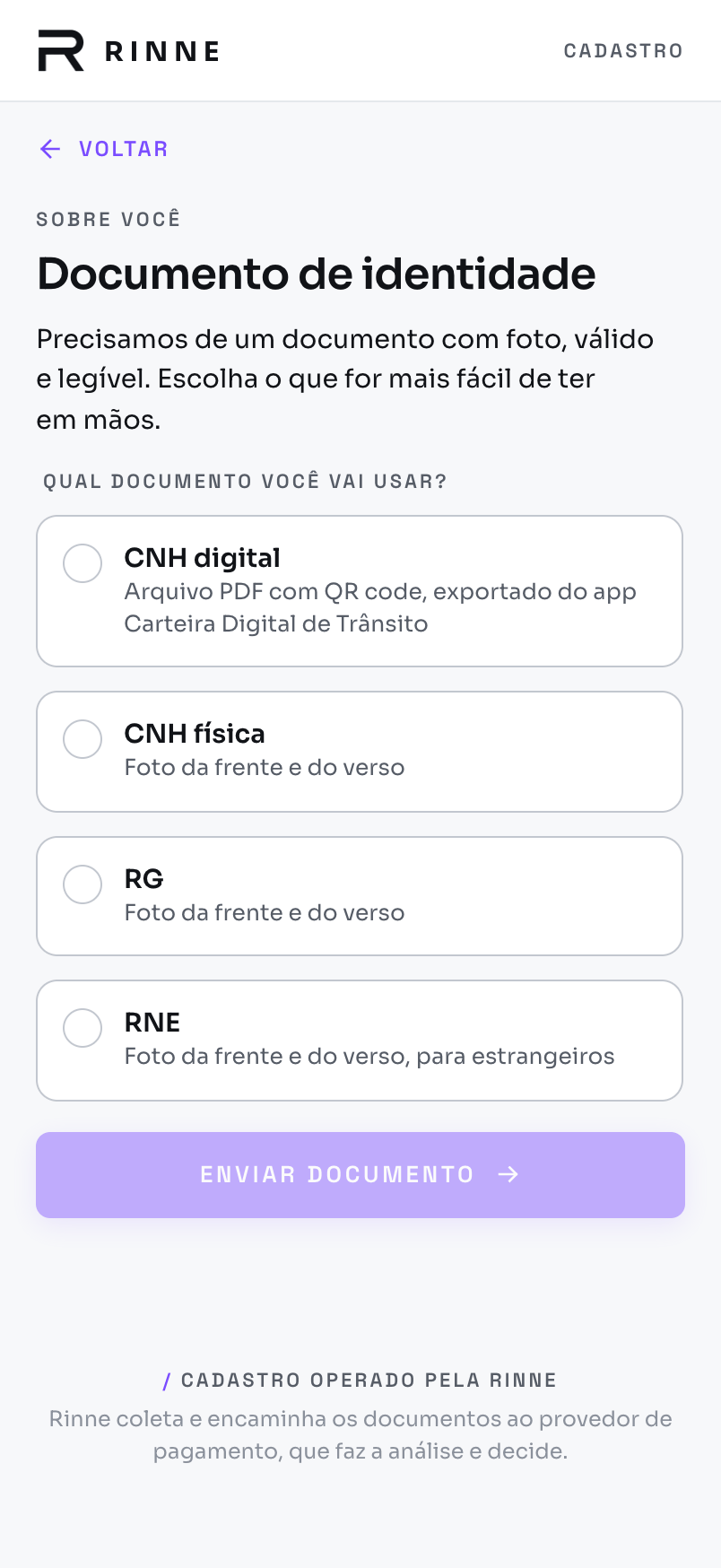
* **Documents**: a photo taken in the page or a file for each one (PDF, PNG or JPEG, up to 10 MB), with one image per side of an identity document.
* **Biometric verification**: a selfie with liveness check on the verification partner's own capture page, which the link opens in a new tab. The link updates by itself when the result arrives, and the contact can go on with the other items meanwhile.
* **Questions and evidence**: a text answer to a provider's question, or an explanation with the files that back it.
The contact can stop at any point and come back through the same link. Nothing already done is asked again.
On a computer, every step after the CPF offers **Continuar no celular**: a QR code, valid for five minutes, opens the same step on the phone without asking for the CPF again. What was already sent is in place there, and the computer keeps working too.
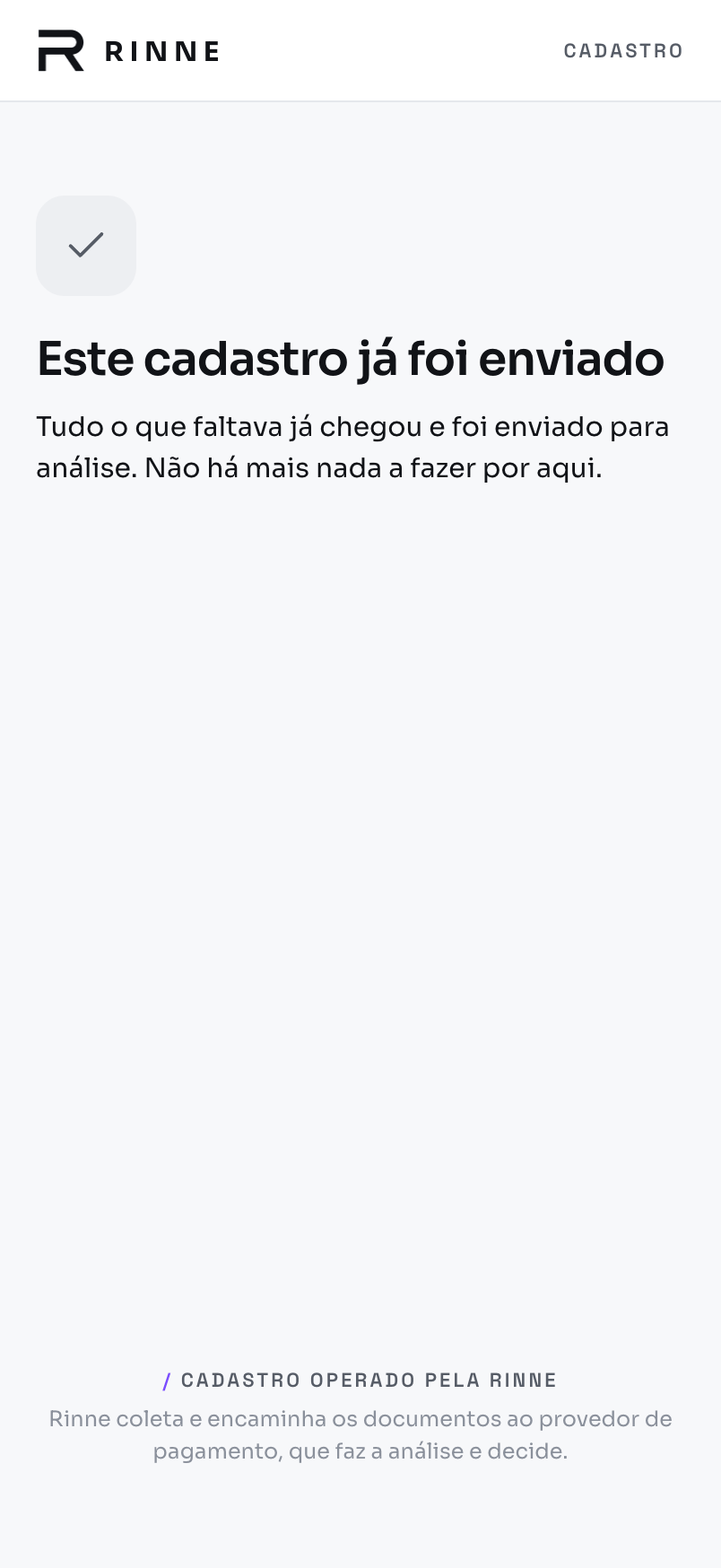
When the last item arrives, the page says everything was sent and Rinne submits the affiliation to the provider.
Your system follows along through webhooks: `onboarding-document.status-changed` and `biometric-verification.status-changed` for each item, then `affiliation.status-changed` as the affiliation moves to `PENDING`, `PENDING_APPROVAL` and on.
## Get the link
The link exists while the affiliation is `WAITING_DOCUMENTS`. Where it reaches you depends on how the affiliation got there:
| How the affiliation started waiting | Where `onboarding_url` arrives |
| - | - |
| Created with something pending | The `POST /v1/affiliations` response and the `affiliation.created` webhook |
| Moved back to waiting later, for example after a provider asked for more on an open affiliation | The `affiliation.status-changed` webhook with `new_status` `WAITING_DOCUMENTS` |
| Any time while waiting | `GET /v1/affiliations/{id}` |
An affiliation created already waiting reports **no** `affiliation.status-changed`. An integration that reads the link only from `affiliation.status-changed` never sees it: read it from the create response or from `affiliation.created` as well.
```bash cURL theme={null}
curl -X POST https://api-sandbox.rinne.com.br/core/v1/merchants/a7089150-0d61-498f-b7ca-4767e4e4d6a4/affiliations \
-H "x-api-key: YOUR_API_KEY" \
-H "Content-Type: application/json" \
-d '{
"provider": "CELCOIN",
"allowed_capture_methods": ["ECOMMERCE"],
"allowed_payment_methods": ["PIX"]
}'
```
```json 201 Created theme={null}
{
"id": "2352ebe5-97c2-4625-8535-cc21b732787a",
"provider": "CELCOIN",
"status": "WAITING_DOCUMENTS",
"enabled": false,
"company_id": "a7089150-0d61-498f-b7ca-4767e4e4d6a4",
"organization_id": "a6c6c490-14bc-4fe7-9217-2eee9f719357",
"onboarding_url": "https://cadastro.rinne.com.br/a/Q2wj3g2i5gLqYouqXmC8l7C0FkxJyPeh3Rlo1molLGw",
"onboarding_url_expires_at": "2026-11-01T12:00:00.000Z",
"cancellation_reason": null,
"rejection_reasons": [],
"rejection_reviewed_at": null,
"provider_status_code": null,
"provider_status_message": null,
"allowed_capture_methods": ["ECOMMERCE"],
"allowed_payment_methods": ["PIX"],
"onboarding_documents": [],
"created_at": "2026-10-02T12:00:00.000Z",
"updated_at": "2026-10-02T12:00:00.000Z"
}
```
The `affiliation.created` handler that forwards the link is in the [webhooks guide](/guides/webhooks#affiliation-created).
## Send the link
Rinne does not deliver the link: you send it to the merchant's contact through the channel you already use with them, such as e-mail, WhatsApp or your app's inbox. Only the person registered as the merchant's contact can open it, so a forwarded link shows nothing to anyone else.
Tell the contact who is asking and why before they open it. The page names your organization, but a message from you that they recognize gets the link opened sooner.
## Embed the link in your app
You can open the link inside your own site or app instead of sending it. Two things decide whether every step works there:
* **New windows.** The biometric step opens the verification partner's capture in a new tab, because the partner's page does not run inside a frame, and resumes by itself when the contact comes back. The frame or webview that holds the page must let it open that window and hand it back to the page.
* **The camera**, for the photos of the identity document. Without it the contact can still choose a file.
```html onboarding.html theme={null}
```
`allow="camera"` delegates the camera to the frame, and your page's own `Permissions-Policy` must not block it. A frame with no `sandbox` attribute opens new tabs as is; a sandboxed one needs `allow-popups allow-popups-to-escape-sandbox` on top of what your page already grants it.
* Implement the `WKUIDelegate` method `webView(_:createWebViewWith:for:windowFeatures:)` and return a new `WKWebView` built from the configuration it receives, so the capture opens in a webview the page can reach. Returning `nil` blocks the biometric step.
* Declare `NSCameraUsageDescription` and enable `allowsInlineMediaPlayback` for the document photos.
Android's WebView cannot run the biometric step: a new window there replaces the page by default, so the link never tries to open one. At that step the page asks the contact to open the link in the browser. To keep the whole flow working, open `onboarding_url` in a Custom Tab or the browser instead of a WebView.
For the document photos inside a WebView, declare the `CAMERA` permission, enable JavaScript and grant `RESOURCE_VIDEO_CAPTURE` in `WebChromeClient.onPermissionRequest`.
Wherever no tab can open, no verification starts and the page tells the contact to open the link in the browser; nothing gets stuck. The page keeps the contact's visit in the tab's own storage, not in a cookie, so nothing on your side has to pass anything through. After the capture, the partner returns the contact to a small Rinne page that only says to go back to the registration tab; the result reaches the page from Rinne.
Embedding the page and keeping the contact inside your app? Ask Rinne support to turn off **Continuar no celular** for your organization: the QR code opens the page at Rinne's own address, in the phone's browser.
## Link lifetime and reissue
A link works until `onboarding_url_expires_at`; read that field rather than assuming a lifetime. It never outlives the affiliation's own deadline: an affiliation that waits 30 days in `WAITING_DOCUMENTS` before its first submission becomes [`CANCELLED`](/onboarding/statuses-and-events#cancelled) with `cancellation_reason` `EXPIRED`, and its link stops working with it. Once the affiliation leaves `WAITING_DOCUMENTS`, `onboarding_url` is `null`.
Issue a new link when the contact lost it, it leaked, it went to the wrong person, or it expired before the merchant finished. The previous link stops working at once, together with every visit opened from it; the affiliation, its requirements and everything already sent are kept.
```bash cURL theme={null}
curl -X POST https://api-sandbox.rinne.com.br/core/v1/merchants/a7089150-0d61-498f-b7ca-4767e4e4d6a4/affiliations/2352ebe5-97c2-4625-8535-cc21b732787a/onboarding-link \
-H "x-api-key: YOUR_API_KEY" \
-H "Content-Type: application/json" \
-d '{ "expires_in_days": 7 }'
```
```json 200 OK theme={null}
{
"onboarding_url": "https://cadastro.rinne.com.br/a/efKcYZfLM1YfsEiJ2mpPNjNJR-3q0hWLyF4JTQx3oFk",
"onboarding_url_expires_at": "2026-10-16T14:30:00.000Z"
}
```
How long the new link lasts, from 1 to 30 days. It is capped at the affiliation's own deadline, so `onboarding_url_expires_at` in the response is always the effective date.
| Status | When |
| - | - |
| `200` | The new link and its expiry. `onboarding_url` and `onboarding_url_expires_at` on the affiliation change to it. |
| `409` | The affiliation is not `WAITING_DOCUMENTS` (an attempt never submitted and past its deadline is cancelled as `EXPIRED` first, then refused), or its link is the provider's own page, which Rinne cannot reissue. |
Organizations onboarding themselves call `POST /v1/affiliations/{id}/onboarding-link`. Both routes require the `affiliation.edit` permission (`merchant.affiliation.edit` on the merchant route). Full contract: [Reissue the onboarding link](/api-reference/company-affiliations/reissue-the-onboarding-link).
## Security and privacy
The page compares the CPF typed with the contact registered on the merchant at that moment. Any other CPF is refused with the same neutral message, which never says whether it belongs to this merchant or to any other. From the sixth attempt in 15 minutes, right or wrong, the page refuses until the window ends, and a match resets the count. Failures never kill the link, so a stranger holding it cannot lock the contact out for good.
A received item shows as a closed row with the date it arrived. The page never displays a file, a file name or an answer that was already sent, to the contact or to anyone else.
An expired link, a link replaced by a reissue, the link of a cancelled affiliation, the link of an affiliation already submitted and an unknown address each show only that state, without your organization's name, the merchant's or anything else about it.
After the CPF check the visit lasts two hours, in that tab. A longer visit asks for the CPF again and picks up where the contact stopped. The QR code of **Continuar no celular** lives five minutes and opens only the visit the CPF already opened.
The link is the secret: it expires, you can revoke it with a reissue, and the CPF check keeps a leaked link useless to anyone but the contact.
## Appearance
The page carries Rinne's brand and names your organization in text, so the contact knows who asked for the registration. It shows no organization logo. Three things can be set for your organization by Rinne support, at your request:
* An **accent colour**, one hex value; Rinne's purple when none is set. A colour too light to carry white text is darkened until it reads at 4.5:1, so a bright colour renders a little darker than configured.
* The **header style**: light or graphite.
* Whether the page offers **Continuar no celular**, on by default.
## Frequently asked questions
The link opens for whoever is registered as the merchant's contact when the CPF is typed. Update the contact with `PATCH /v1/merchants/{merchantId}` (or `PATCH /v1/companies/me` for your organization) and the same link opens for the new contact.
No. The link collects documents, biometric verifications and answers. Merchant data is changed through the API, and an answer to a provider's question never changes the merchant's registration.
No. They can close the page and open the same link again until it expires. Each item is saved the moment it is sent.
The link of a cancelled affiliation shows that the registration was closed, so nothing more is sent through it. Documents and verifications sent before the cancellation stay with the merchant and satisfy its next affiliation, which comes with a new link.
Yes. While the affiliation waits, `onboarding_url` is set, and you can ignore it. Supplying every item through the API satisfies the same requirements. See [Build with the API](/onboarding/api).
## Next steps
Supply some or all items from your own application.
Every status, deadline and webhook of the flow.
This documentation is built and hosted on [Mintlify](https://mintlify.com), a developer documentation platform.